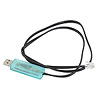




This cable arrived today and I tested it immediately.
Some notes: do NOT use the latest driver from Prolific, because those drivers will not work with these older chips. It is imperative you install and use an older driver, only then will it work.
Install the driver, the ASCOM platform, the SynScan AZ driver and Stellarium (with Stellarium Scope), and this USB cable does the trick perfectly once you set it up. Don't forget to set up the AZ driver parameters (elevation, latitude and longitude) or your scope will not align properly.
When you want to use it, remember the proper procedure:
1. turn on the scope and align it with true North, don't forget to also press "2" and "3" so the scope knows it's aligned.
2. plug in the USB cable into your computer
3. open up Stellarium Scope
4. click "connect"
5. click "open Stellarium"
enjoy!
I've also tested this cable with my Android phone and it works flawlessly:
1. turn on your scope and align it
2. plug in the cable via a USB-to-go cable
3. open the Virtuoso app for Android
4. connect to the mount in the Virtuoso app
Then you can slew in your Virtuoso app, or align the scope more precisely (two star alignment), and even use your Virtuoso scope with the SkySafari software, turning your Virtuoso scope into a true go-to telescope controlled by your phone (or tablet).
The only requirement is that your Android phone or tablet has the USB Host functionality.
In fact, it's so much simpler to plug this cable into a tablet and use the SkySafari software, that I won't even bother with a laptop, it's just way more convenient to use it with a tablet, and a lot less hassle setting it up!
Reviews
Customer reviews for this product.