ASIAIR is a device that allows the operation of ZWO cameras and paralactic assembly via a mobile device via WIFI. Solves the computer problem on the observation stand - the management center is a smartphone or tablet, via ZWO ASIAIR.
• module based on Raspberry Pi
• allows you to opt out of a computer for data acquisition and assembly control
• allows the main camera, guiding camera, mounting, hood drive and filter wheel to be connected together
• works in two bands: 5 G and 2.4 G
• allows you to preview almost in real time
• allows you to control assembly and apply patches (guiding)
• works with IOS (10.1 or higher, iPhone 5s / 6/7/8 / X, iPad / iPad mini / iPad pro)
• works with Android (system 6.0 and higher)
• a very helpful and active technical support group is available on Facebook (producer + community)
• most SLRs
• ZWO ASI USB3.0, ASI with cooling, ASI mini cameras (older ASI120MM / MC are not supported)
• assembly: controlled by INDI (list http://indilib.org/devices/telescopes.html); iOptron and Sky-Watcher, the most popular astrophotographic mounts on the market, are compatible
• ASI EFW / EFW Mini filter wheels
• ASI EAF statement controller
24 months


>> FREQUENTLY ASKED QUESTIONS Question : I can't connect to ASIAIR
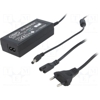
Answer: First, log in to the Wi-Fi network created by ASIAIR. If this fails (despite entering the password - standard start 12345678), then check the power supply. ASIAIR is powered by a USB port, but requires a strong power supply - that's why it should be powered by a 12 V / 5 A power supply via a 12 V - 5 V @ 3 A connector (included). If we have access to 230 V AC network, it is worth buying a typical 12 V 5 A power supply plug: 2.1 / 5.5 mm, plus inside.
Question : the camera takes pictures, but I can't start the live view
Answer: In the Main Camera Settings tab, enter Advanced Settings and activate Continues Preview by moving the slider to the green position (screenshots below)