EQMOD cable for HEQ-5 (3 meters) other opinie

Polski English  
Polski English
teleskop
Astronomy - Optics - Technology
   Quick Find    
 
   Shopping Cart more    
0 items
   Categories    
Telescopes »
 
Binoculars »
 
Spotting scopes »
 
Microscopes »
 
Astrophotography »
 
Eyepieces »
 
Filters for Astronomy »
 
AstroAccessories »
 
 adapters »
 
 dew control »
 
 finderscopes »
 
 focusers »
 
 mounts and drives »
 
 optics cleaning »
 
 telescope carrying bags »
 
 other »
 
 telescope domes »
 
 Avalon Instruments »
 
 PegasusAstro »
 
 PrimaLuceLab »
 
Nightvision »
 
Thermal Devices »
 
Riflescopes »
 
Laser RangeFinders »
 
Flashlight »
 
Magnifying Glasses »
 
Sports Cameras »
 
Tripods »
 
Optics cleaning »
 
Books & Magazines »
 
Outdoor and Hunting »
 
Gadgets »
 
Photography Accessories »
 
Outlet - used »
 
   Manufacturers    
   Shipping    


We ship via DHL, GLS and Rhenus Logistics. Check out EU rates HERE

   Shop in Warsaw    
WARSAW, Grochowska 8-B
Mon-Fri:10 - 17, Sat:9-13
   Shop in Chorzow    
 
CHORZÓW, Katowicka 56
Mon-Fri:10 - 17, Sat:9-13
   Information    
Contact Us
Shipping & Returns
Privacy Notice
Conditions of Use
   Currencies    
   Languages    
Polski English

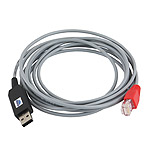
EQMOD cable for HEQ-5 (3 meters)


Availability: this product is currently unavailable

ALLSKY
 
EQMOD cable for HEQ-5 (3 meters)
Shop online:
 not available


Shop in Warsaw (qty):
 not available


Shop in Chorzow (qty):
 not available

CHEAP DELIVERY TO
EUROPEAN COUNTRIES
CHECK IT OUT!


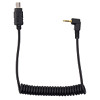
EQDIRECT connection cable for SW HEQ5 mounting - allows you to control the installation directly from a PC, bypassing the remote control.

Technical parameters

• compatible mounts: SkyWatcher HEQ5 SynScan, AZ-EQ6, AZ-EQ5, Orion Atlas PRO AZ / EQ-G
• HighFlex cable - maintains flexibility up to -40 ° C
• FTDI converter
• length: 3 meters

How to run

1. Connect the cable to the USB port on your computer
2. In the device manager, check at what port the cable has been installed (COM and LPT ports -> COMx where x is 1, 2, 3, ... 16)
3. Install the ASCOM platform ( https://sourceforge.net/projects/eq-mod/files/ASCOMPAD/ )
4. Install the EQMOD program ( https://sourceforge.net/projects/eq-mod/files/EQASCOM/ )
5. In the EQASCOM Toolbox program, which is part of the ASCOM package, check if eqmod.exe is set


6. The ASCOM program should be configured so that it uses the appropriate assembly, providing its name and appropriate COM port
7. Return to the ASCOM Dome Control program and click "connect"


Reviews
 
    Customers who bought this product also purchased    

[KABASTHEQ5-3M_ALL]
🔭
Assistant
Online
🔭

Hello!

I will help you choose the perfect optical equipment.

Powered by AI